Step 1: Connect your stack
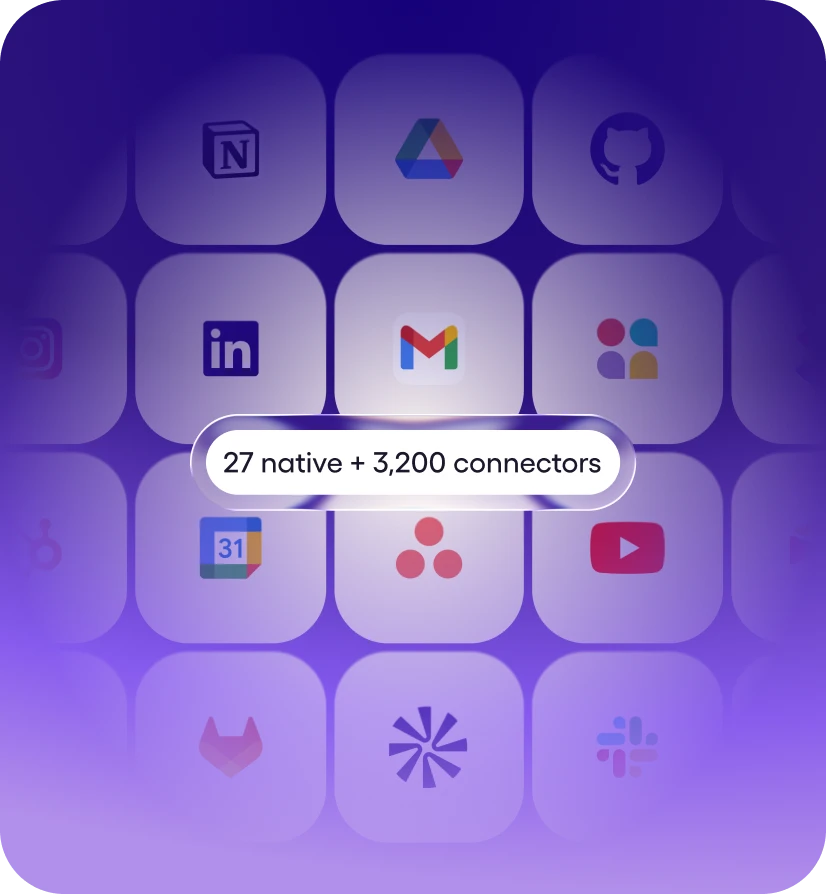
27+ native integrations plus 9,800+ tools via managed connectors. Mostly one-click OAuth, a few API keys. No webhooks, no Zapier zaps.


Viktor works in Ironclad for you. Ask in Slack or Microsoft Teams.
Viktor is an AI employee that connects to Ironclad and helps you send documents for signature and track contracts, running 17 Ironclad actions for you like Get Record, Get Workflow, and Create Record. Ask in plain English from your workspace; Viktor does the work in Ironclad and reports back. Viktor connects in one click via OAuth.
Viktor connects to your Ironclad account and completes work in it. He doesn't just answer questions about Ironclad, he takes the actions on your behalf and delivers the finished result to your workspace.
Unlike workflow builders such as Zapier or Make, there is nothing to configure - no triggers to map, no workflows to maintain. You describe the outcome in plain English, and Viktor picks the right Ironclad actions, chains them with the other 9,800+ tools he connects to, and asks for approval before anything sensitive runs.
About Ironclad
Ironclad is the only platform built from the ground up to handle all contract types – legal, sales, finance, HR, marketing, procurement, and more.
Message Viktor in a Slack channel, a Microsoft Teams chat or a direct message. He opens Ironclad, does the work and posts the result in the same thread, so nobody has to switch tabs.
He can also run Ironclad work on a schedule, like a weekly Ironclad summary posted to your team's channel. Anything sensitive waits for your approval before it runs.

You ask in your workspace
Describe what you need in plain English

Viktor picks the actions
Selects from 17 Ironclad actions, chains them together
Runs in Ironclad
Helps you send documents for signature and track contracts - your real data.
Reports back
Delivers the finished result to your workspace
Messages you'd actually send. Paste one into your workspace, swap in your specifics, and Viktor takes it from there.
“Send this agreement out for signature in Ironclad and notify me when it's signed.”
— you, to @Viktor
“Check Ironclad for contracts awaiting signature and send a reminder to whoever's holding it up.”
— you, to @Viktor
“Find every contract in Ironclad renewing in the next 30 days and list them.”
— you, to @Viktor
“Watch Ironclad for a signed document and post it to the deal channel.”
— you, to @Viktor
27+ native integrations plus 9,800+ tools via managed connectors. Mostly one-click OAuth, a few API keys. No webhooks, no Zapier zaps.
Message Viktor like a teammate: "Pull this week's MRR from Stripe." "Triage new Linear bugs." "Pause Meta ads over $40 CPA." Any tool.
Viktor opens the tools, runs the work, and posts back exactly what changed. Sensitive actions wait for your approval. It’s all logged.
Ask in plain English from your workspace. Viktor picks the right Ironclad actions, runs the work, and reports back. No workflows to build.
Creates a new record in Ironclad. Provide properties as a JSON object where each key maps to a {type, value} wrapper. Run Describe Workspace first to see all valid record types and property keys (with their required type) in one call; List Type Options / List Properties Options exist only to resolve a single value for this action's props, not for general discovery. Property types are snakecase, e.g. string, number, monetaryamount, address, date, duration, boolean — not the camelCase types used by workflow attributes. Complex types use nested objects: monetaryamount {\"currency\": \"USD\", \"amount\": 25.37}, address {\"lines\": [\"325 5th Street\", \"Suite 200\"], \"locality\": \"San Francisco\", \"region\": \"California\", \"postcode\": \"94107\", \"country\": \"USA\"}.
Permanently deletes an Ironclad record by ID. This cannot be undone. Run Search Records first to find the recordId — confirm it's the right record before deleting, since Ironclad has no undo.
Retrieves the fillable attribute schema for an Ironclad workflow template — the required call before Launch Workflow. Returns each field's type, display name, enum options, and whether it's required. Every field's description already includes a worked value-format example for complex types (address, monetaryAmount, date, duration, document/array) — use those examples verbatim, do not guess a shape. A field's required may be \"conditional\": when Ironclad's naming convention makes the trigger inferable (e.g. a field named set1Question2 triggered by a selector field set to \"Set 1\"), a dependsOn: {field, value} hint is included; whenever you set the selector to that value, also include the dependent field. If a conditional field has no dependsOn hint, its trigger isn't inferable from naming — watch for a MISSINGPARAM error naming it after you submit Launch Workflow, and retry with it included. Run Describe Workspace first to find a template ID.
Orients you to this Ironclad workspace: returns every configured record type and property (with its type), plus the first page of launchable workflow templates. This is the primary orienting call — run it first for any question about what record types, properties, or workflow templates exist in the workspace, before List Type Options / List Properties Options / List Template ID Options (those three exist only to resolve one value while configuring another tool's prop, not for general discovery — using them for discovery skips the bundled context this tool provides). Takes no parameters. If workflowTemplates looks capped at a page boundary, run List Template ID Options with an incremented page for the rest. Example return: {\"recordTypes\": {\"vendoragreement\": \"Vendor Agreement\"}, \"properties\": {\"contractValue\": \"monetaryamount\", \"counterpartyName\": \"string\"}, \"workflowTemplates\": [{\"id\": \"tmplabc123\", \"name\": \"NDA Template\"}]}.
Retrieves a single Ironclad record by its ID, returning the record's name, type, properties, and metadata. Run Search Records first to find a valid record ID.
Retrieves the full Ironclad workflow object, including its schema and current attribute keys and types. Use the returned schema to construct a valid updates payload for Update Workflow Attributes. Run Search Workflows first to find a workflow ID.
Launches a new workflow in Ironclad. Run Describe Workspace to find a template ID, then run Describe Workflow Template to discover the field keys, types, and constraints (including conditional fields) needed to build the attributes payload.
Returns all Ironclad record property keys and their display names (including the required type for each) as {label, value} pairs. Call this before setting the properties field in Create Record to find valid property keys and their exact type — do not guess a property's type. Example return: [{\"label\": \"Counterparty Name (type: string)\", \"value\": \"counterpartyName\"}, {\"label\": \"Contract Value (type: monetaryamount)\", \"value\": \"contractValue\"}, ...].
Returns one page of Ironclad records as {label, value} pairs (where value is the record ID). Call this before using the links, parent, or children fields in Create Record to find valid record IDs. Search Records is the primary way to find a record by attribute values; use this action only to page through the full list or when resolving a record ID field directly. Results are 0-indexed by page; if the response contains the maximum number of items, increment page and call again to fetch more. Example return: [{\"label\": \"Acme NDA\", \"value\": \"recabc123\"}, ...].
Ask for outcomes that span tools - Viktor pulls from Ironclad, cross-references the rest of your stack, and delivers one finished result.
Viktor connects to 9,800+ tools and works across them in a single run.
Yes. Ironclad is one of the 9,800+ tools Viktor connects to, via a managed connector. Once connected, anyone on your team can put Viktor to work in Ironclad from their workspace - no workflow builder, no code.
Ask Viktor in your workspace to connect Ironclad, then approve the one-click OAuth prompt. Viktor never sees your password, handles authentication itself, and starts working right away. Setup takes about two minutes, and you can revoke access at any time.
Viktor can run 17 Ironclad actions, including Get Record, Get Workflow, and Create Record - and chain them with other tools in a single request. In practice that means Viktor helps you send documents for signature and track contracts. If a task spans several actions, Viktor plans the sequence itself and reports back when the work is done.
No. Viktor isn't a workflow builder - there are no triggers to map and nothing to maintain. You ask for the outcome in plain English in your workspace, and Viktor decides which Ironclad actions to take, runs them, and reports back.
Start free. Viktor delivers.
Start for free today. No credit card required.