Connect your stack
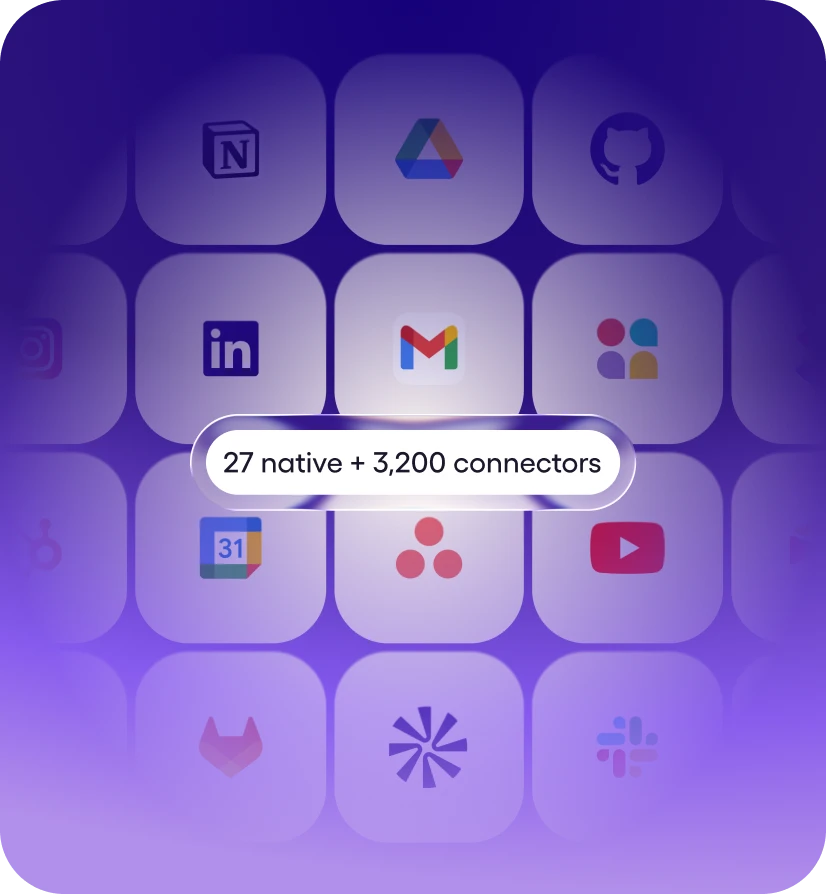
27 native integrations. 3,200+ tools via managed connectors. Most are one-click OAuth, some use API keys - Viktor handles auth and starts working. No webhooks, no Zapier zaps.

Viktor is an AI employee that connects to Slack in one click via OAuth and helps you communicate and coordinate with your team in chat, running 48 Slack actions for you like Search, Get File, and Kick User. Ask in plain English right in Slack; Viktor does the work and reports back. Setup takes about two minutes.
Free to start · No credit card · SOC 2 Type 1 · Works in Slack & Microsoft Teams
Messages you'd actually send. Paste one into Slack, swap in your specifics, and Viktor takes it from there.
“Summarize everything new in Slack from the last 24 hours and flag what needs a reply.”
— you, in Slack
“Draft a reply to the latest Slack thread about the renewal and send it after I approve.”
— you, in Slack
“Search Slack for the conversation about the Q3 launch and pull out the action items.”
— you, in Slack
“Watch Slack for anything mentioning invoices and log it in a sheet every Friday.”
— you, in Slack
Ask in plain English in Slack. Viktor picks the right Slack actions, runs the work, and reports back. No workflows to build.
Upload a file.
Update basic profile field such as name or title.
Update a message.
Update the list of users for a User Group.
Set the topic on a selected channel.
Change the description or purpose of a channel.
Send a message to a user, group, private channel or public channel.
Send a message to a user or group.
Send a message to a public or private channel.
Customize advanced settings and send a message to a channel, group or user. See postMessage or scheduleMessage docs here.
Send a large message (more than 3000 characters) to a channel, group or user. See postMessage or scheduleMessage docs here.
Configure custom blocks and send to a channel, group, or user.
Send a message as a threaded reply. See postMessage or scheduleMessage docs here.
Retrieve a thread of messages posted to a conversation.
Retrieve messages from a Slack conversation, including reactions.
Retrieve members of a channel.
Return a list of files within a team.
Remove a user from a conversation.
Invite a user to an existing channel.
Return information about a file.
Retrieve details for a Slack channel by selecting it or providing an ID.
Find a user by their ID. Returns user profile information including name, email (requires users:read.email scope), timezone, and status.
Delete a message.
Delete a file.
Create a reminder.
Archive a channel.
Add an emoji reaction to a message.
Retrieves available options for the Reminder field.
Retrieves available options for the User Group field.
Retrieves available options for the Icon (emoji) field.
Verifying requests from Slack, slack signs its requests using a secret that's unique to your app.
Set the current status for a user.
Search Slack messages and files using the Real-Time Search API. Supports keyword and semantic search across public and private channels. Use Get User Details first to find your user ID for filtering by 'my' messages. Returns matching messages with channel context, timestamps, and permalinks.
Send a message to a channel, user, or group. Accepts a channel ID (e.g. C1234567890) or channel name (e.g. #general or general) — names are resolved automatically. To reply to a thread, provide threadts from Get Channel History. Supports plain text with Slack mrkdwn formatting and Block Kit blocks.
Return a list of all users in a workspace.
List all users in a User Group.
List all available emojis in the Slack workspace. Optionally include emoji image URLs.
Return a list of all channels in a workspace.
Retrieve the authenticated user's identity and workspace context. Returns user ID, name, email, timezone, profile, and workspace metadata. Call this first in any session to establish who you are — other tools like Search and List Channels can then filter by your user ID.
Retrieve all replies in a message thread. Accepts a channel ID or channel name (resolved automatically). Use Get Channel History or Search to find the parent message's timestamp (threadts). Returns the parent message followed by all replies in chronological order.
Retrieve comprehensive context about the authenticated Slack member, combining auth.test, users.info, users.profile.get, and team.info payloads. Returns the user’s profile (name variants, email, locale, timezone, status, admin flags), raw auth test data, and workspace metadata (domain, enterprise info, icons). Ideal when you need to confirm which user token is active, tailor messages to their locale/timezone, or ground an LLM in the member’s role and workspace before executing other Slack actions. See Slack API docs.
Read the recent message history from a specific channel. Accepts a channel ID or channel name (resolved automatically). Use this when you want to see a channel's latest messages — unlike Search which finds messages by keyword. Returns messages with text, timestamps (ts), reactions, and user IDs. Message timestamps can be used with Get Thread Replies, Edit Message, and Add Reaction.
Find a user by matching against their email.
Find a Slack message.
Edit an existing message. Accepts a channel ID or channel name (resolved automatically). Requires the message timestamp (ts) from Get Channel History or Post Message. You can only edit messages posted by the same token/user.
Create a new channel.
List files shared in a channel or across the workspace. Accepts a channel ID or channel name (resolved automatically). Filter by file type (e.g. images, pdfs, snippets). Returns file metadata including name, type, size, and download URL.
Add an emoji reaction to a message. Accepts a channel ID or channel name (resolved automatically). Use Get Channel History or Search to find the message timestamp. Emoji name should be without colons (e.g. thumbsup, fire, heart).

27 native integrations. 3,200+ tools via managed connectors. Most are one-click OAuth, some use API keys - Viktor handles auth and starts working. No webhooks, no Zapier zaps.

Message Viktor in Slack like you'd message a teammate. "Summarize everything new in Slack from the last 24 hours and flag what needs a reply." "Draft a reply to the latest Slack thread about the renewal and send it after I approve." Plain English, any tool.
Viktor opens Slack, runs the work, and posts back what changed. Sensitive actions wait for your approval. Everything is logged. You stop doing the work and start reviewing it.
A Slack AI agent is an AI that connects to your Slack account and completes work in it - it doesn't just answer questions about Slack, it takes the actions. Viktor is that agent: an AI employee that works in Slack on your behalf and delivers the finished result in Slack.
Unlike workflow builders such as Zapier or Make, there is nothing to configure - no triggers to map, no workflows to maintain. You describe the outcome in plain English, and Viktor picks the right Slack actions, chains them with the other 3,200+ tools it connects to, and asks for approval before anything sensitive runs.
Slack is a channel-based messaging platform. With Slack, people can work together more effectively, connect all their software tools and services, and find the information they need to do their best work — all within a secure, enterprise-grade environment.

One-click OAuth - Viktor never sees your password, and you can revoke access at any time.
Review-first approvals: sensitive Slack actions wait for your sign-off before they run.
Isolated compute per team, encrypted in transit and at rest - and your data is never used to train models.
SOC 2 Type 1 compliant, with Type 2 and ISO 27001 in progress.
Yes. Slack is one of the 3,200+ tools Viktor connects to, via a managed connector. Once connected, anyone on your team can put Viktor to work right in Slack - no workflow builder, no code.