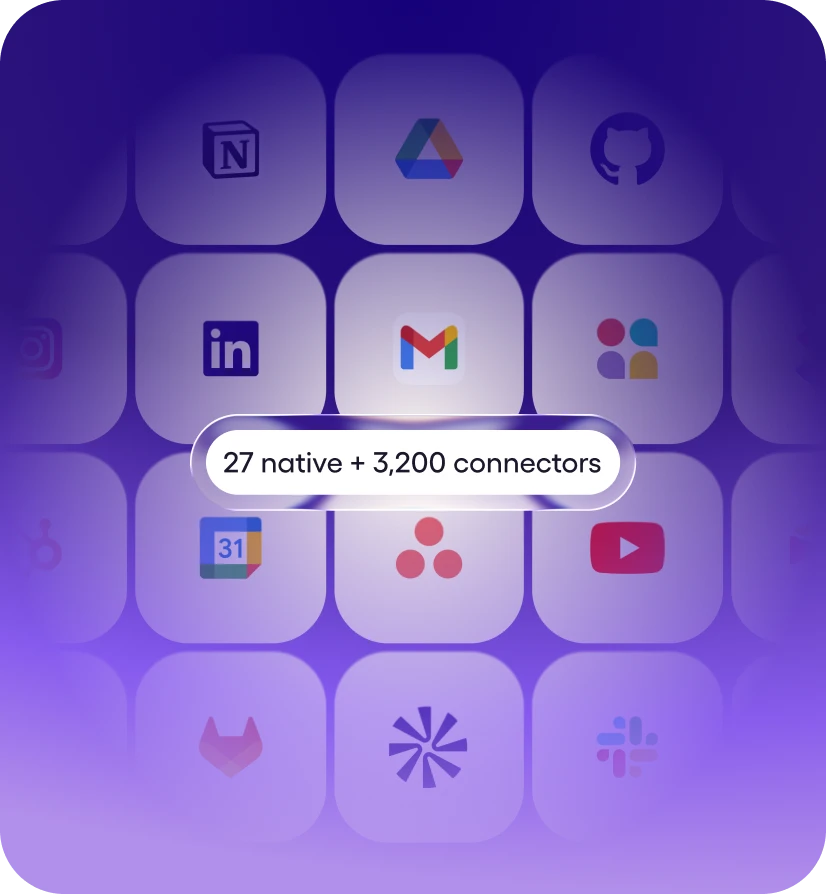
Step 1: Connect your stack
27 native integrations. 3,200+ tools via managed connectors. Most are one-click OAuth, some use API keys - Viktor handles auth and starts working. No webhooks, no Zapier zaps.


Viktor is an AI employee that connects to Gmail and helps you stay on top of your inbox and get replies out, running 21 Gmail actions for you like Send Email, Get Thread, and List Labels. Ask in plain English from your workspace; Viktor does the work in Gmail and reports back. Viktor connects in one click via OAuth.
A Gmail AI agent is an AI that connects to your Gmail account and completes work in it - it doesn't just answer questions about Gmail, it takes the actions. Viktor is an AI employee that works in Gmail on your behalf and delivers the finished result to your workspace.
Unlike workflow builders such as Zapier or Make, there is nothing to configure - no triggers to map, no workflows to maintain. You describe the outcome in plain English, and Viktor picks the right Gmail actions, chains them with the other 3,200+ tools it connects to, and asks for approval before anything sensitive runs.
About Gmail
Gmail offers private and secure email by Google at no cost, for business and consumer accounts.

You ask in your workspace
Describe what you need in plain English

Viktor picks the actions
Selects from 21 Gmail actions, chains them together

Runs in Gmail
Helps you stay on top of your inbox and get replies out - your real data.
Reports back
Delivers the finished result to your workspace
Messages you'd actually send. Paste one into your workspace, swap in your specifics, and Viktor takes it from there.
“Summarize everything new in Gmail from the last 24 hours and flag what needs a reply.”
— you, to @Viktor
“Draft a reply to the latest Gmail thread about the renewal and send it after I approve.”
— you, to @Viktor
“Search Gmail for the conversation about the Q3 launch and pull out the action items.”
— you, to @Viktor
“Watch Gmail for anything mentioning invoices and log it in a sheet every Friday.”
— you, to @Viktor
27 native integrations. 3,200+ tools via managed connectors. Most are one-click OAuth, some use API keys - Viktor handles auth and starts working. No webhooks, no Zapier zaps.
Message Viktor in Slack like you'd message a teammate. "Reconcile this month's invoices and flag anything weird." "Pause Meta campaigns above $40 CPA and move the budget to winners." Plain English, any tool.
Viktor opens the tools, runs the work, and posts back what changed. Sensitive actions wait for your approval. Everything is logged. You stop doing the work and start reviewing it.
Ask in plain English from your workspace. Viktor picks the right Gmail actions, runs the work, and reports back. No workflows to build.
Update the signature for the primary email address.
Update the signature for a specific email address in an organization.
Send a new email OR reply to an existing thread from the authenticated Gmail account. For a fresh message, set to/subject/body; leave inReplyToMessageId blank. To reply to a thread, pass the id of any message in that thread as inReplyToMessageId — the tool preserves threading (References, In-Reply-To, threadId) and auto-prefixes Re: on the subject. Use Find Emails or Get Thread to locate the message ID. Set replyAll: true to fan-out to the original From/To/Cc (minus the user's own address); otherwise only the original sender is addressed. bodyType controls whether body is treated as plain text (default) or HTML. To send to yourself, pass "me" in to — the action resolves it to the authenticated user's email address. No pre-call to Get Current User required. Attachments: for small inline content (the common case in MCP / cloud runs), set attachmentContent to the file's text contents and attachmentFilename to its name. For files already on disk (Pipedream workflows, File Stash), use attachments[] + attachmentFilenames[] instead.
Add and/or remove labels on one or more Gmail messages in a single call. In Gmail, most inbox-state operations are label mutations under the hood, so this one tool covers archive / trash / untrash / star / unstar / mark-read / mark-unread / apply-label / remove-label.
Fetch an entire Gmail thread (conversation) by thread ID — returns every message in order with headers, decoded body text, and attachment metadata. Use this after Find Emails when the user wants the full conversation rather than a single message. Each result from Find Emails includes a threadId you can pass here. With format: full (default) each message includes decoded text/html bodies and attachment metadata. Use format: metadata to skip bodies and get only headers + labelIds — useful for large threads. Responses are capped — oversized threads fall back to metadata-level detail (or are further truncated from the tail) with a [truncated] marker so the caller knows to narrow the request.
Retrieves available options for the Signature field.
List all send as aliases for the authenticated user.
List every label in the authenticated user's mailbox (system labels like INBOX, SENT, TRASH, STARRED, UNREAD and user-created labels). Call this before Modify Labels or Find Emails when you need to target a label that the user named rather than an obvious system label — it resolves a name like Clients/Acme to its opaque label ID. User labels are returned first, then system labels.
Retrieves available options for the Send as a Delegate field.
Ask for outcomes that span tools - Viktor pulls from Gmail, cross-references the rest of your stack, and delivers one finished result.
Viktor connects to 3,200+ tools and works across them in a single run.
Yes. Gmail is one of the 3,200+ tools Viktor connects to, via a managed connector. Once connected, anyone on your team can put Viktor to work in Gmail from their workspace - no workflow builder, no code.
One hire. The output of a team.
Viktor works nights, remembers every decision, and connects to 3,200 tools. Start free with $100 in credits, then $50 a month.