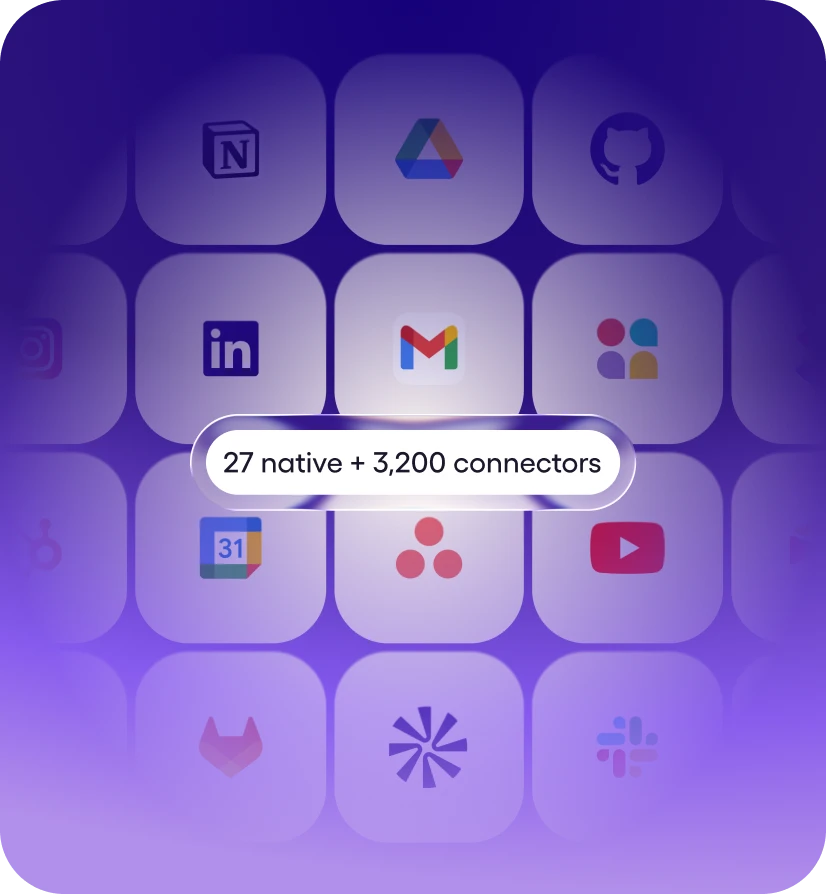
Step 1: Connect your stack
27+ native integrations plus 9,800+ tools via managed connectors. Mostly one-click OAuth, a few API keys. No webhooks, no Zapier zaps.


Viktor works in Slab for you. Ask in Slack or Microsoft Teams.
Viktor is an AI employee that connects to Slab and helps you capture, organize, and find team or personal notes, running 10 Slab actions for you like Get Posts, List Posts, and List Users. Ask in plain English from your workspace; Viktor does the work in Slab and reports back. Viktor connects with a scoped API key.
Viktor connects to your Slab account and completes work in it. He doesn't just answer questions about Slab, he takes the actions on your behalf and delivers the finished result to your workspace.
Unlike workflow builders such as Zapier or Make, there is nothing to configure - no triggers to map, no workflows to maintain. You describe the outcome in plain English, and Viktor picks the right Slab actions, chains them with the other 9,800+ tools he connects to, and asks for approval before anything sensitive runs.
About Slab
Knowledge Base & Wiki Software
Message Viktor in a Slack channel, a Microsoft Teams chat or a direct message. He opens Slab, does the work and posts the result in the same thread, so nobody has to switch tabs.
He can also run Slab work on a schedule, like a weekly Slab summary posted to your team's channel. Anything sensitive waits for your approval before it runs.

You ask in your workspace
Describe what you need in plain English

Viktor picks the actions
Selects from 10 Slab actions, chains them together

Runs in Slab
Helps you capture, organize, and find team or personal notes - your real data.
Reports back
Delivers the finished result to your workspace
Messages you'd actually send. Paste one into your workspace, swap in your specifics, and Viktor takes it from there.
“Find the Slab doc about onboarding and turn it into a checklist.”
— you, to @Viktor
“Summarize what changed in Slab this week and post it here every Friday.”
— you, to @Viktor
“Draft a new Slab page from this meeting transcript.”
— you, to @Viktor
“Search Slab for anything about the renewal and pull out the key facts.”
— you, to @Viktor
27+ native integrations plus 9,800+ tools via managed connectors. Mostly one-click OAuth, a few API keys. No webhooks, no Zapier zaps.
Message Viktor like a teammate: "Pull this week's MRR from Stripe." "Triage new Linear bugs." "Pause Meta ads over $40 CPA." Any tool.
Viktor opens the tools, runs the work, and posts back exactly what changed. Sensitive actions wait for your approval. It’s all logged.
Ask in plain English from your workspace. Viktor picks the right Slab actions, runs the work, and reports back. No workflows to build.
Associate a topic with a post via the addTopicToPost GraphQL mutation, returning the topic. Run Search Posts to obtain the post ID and List Topics to obtain the topic ID before calling.
Create a new post in Slab via the createPost GraphQL mutation, returning the full post object (e.g. {\"id\":\"abc123\",\"title\":\"Q3 Onboarding Guide\",\"topics\":[{\"id\":\"abc12def\",\"name\":\"Engineering\"}]}). If Content is provided, the body is appended after creation via the updatePostContent mutation (the Slab schema does not accept content at creation time). Slab derives the displayed title from the first line of the post's content, so the appended text is inserted after the existing title line rather than replacing it — this preserves Title instead of overwriting it. NOTE: the returned content field reflects the pre-append snapshot (title line only) even though the append is applied — treat a non-error response as confirmation, not the returned content. New posts are published by default (set Published to false to leave it as an unpublished draft) — unpublished posts do not appear in Search Posts/List Posts results. Run List Topics to obtain a Topic ID to pass at creation.
Get one or more Slab posts by their IDs, returning full post objects including content, owner, and associated topics. Use Search Posts first to discover post IDs; this action does not list or search. Accepts up to 100 IDs per call.
List all posts in the Slab organization (no filter). This action is superseded by Search Posts, which accepts an optional Query string and can list all posts when Query is empty. Prefer Search Posts for new workflows. Returns { posts, pageInfo } — posts is an array of post objects (e.g. {\"id\": \"abc123\", \"title\": \"Engineering Onboarding Guide\", \"owner\": {\"id\": \"u1\", \"name\": \"Alice\"}, \"topics\": [{\"id\": \"abc12def\", \"name\": \"Engineering\"}]}). Only forward pagination is supported: when pageInfo.hasNextPage is true, pass pageInfo.endCursor as After to retrieve the next page. Pass Fields (e.g. [\"id\",\"title\",\"owner\"]) to trim large fields like content from each post when only metadata is needed.
List all topics in the Slab organization via the organization { topics } GraphQL query, returning an array of topic objects with id and name (e.g. [{\"id\":\"abc12def\",\"name\":\"Engineering\"}]). This is the picker action agents should call to obtain topic IDs for Create Post, Add Topic To Post, and Remove Topic From Post. There is no root topics-listing query, so this reads the organization's topics field.
List all users in the Slab organization via the organization { users } GraphQL query, returning an array of user objects with id, name, and email (e.g. [{\"id\":\"u1\",\"name\":\"Alice\",\"email\":\"alice@example.com\"}]). This is the picker action agents should call to obtain a user ID for Update Post's Owner ID.
Disassociate a topic from a post via the removeTopicFromPost GraphQL mutation, returning the topic. This only removes the association (reversible with Add Topic To Post); it does not delete the post or the topic. Run Search Posts for the post ID and List Topics for the topic ID before calling.
List or search posts in the Slab organization via the GraphQL search endpoint. Leave Query empty to list all posts; provide a Query string to full-text search. This is the picker action agents should call to obtain post IDs for Get Posts, Update Post, Add Topic To Post, and Remove Topic From Post. Returns { posts, pageInfo } — posts is an array of post objects (e.g. {\"id\": \"abc123\", \"title\": \"Engineering Onboarding Guide\", \"owner\": {\"id\": \"u1\", \"name\": \"Alice\"}, \"topics\": [{\"id\": \"abc12def\", \"name\": \"Engineering\"}]}). Only forward pagination is supported: when pageInfo.hasNextPage is true, pass pageInfo.endCursor as After to retrieve the next page. Pass Fields (e.g. [\"id\",\"title\",\"owner\"]) to trim large fields like content from each post when only metadata is needed.
Replace or edit a post's body via the updatePostContent GraphQL mutation. Content must be supplied as a Quill delta (see wrapped in an {\"ops\":[...]} object, passed as a JSON string — the API rejects a native/unwrapped delta object at the GraphQL layer. IMPORTANT: Slab derives the post's displayed title from the first line of its content — there is no independent title field after creation. An op with {\"retain\":0} (or no leading retain) inserts at the very start WITHOUT deleting anything — it pushes the existing content later in the document, so it can change what displays as the title without removing the old title text (which still exists, just no longer on the first line). To actually replace the title, delete the existing title's range — {\"delete\":N} where N is the old title line's length — then insert the replacement. To append body text while preserving the title, first read the post's current content (via Search Posts or Get Posts) and lead with a retain count covering the existing title line's length. This is a distinct endpoint from Update Post (which handles metadata/access only, and cannot change title). Run Search Posts first to obtain the post ID. Example (append after a 20-character title line): postId abc123, delta {\"ops\":[{\"retain\":20},{\"insert\":\"Additional body text.\\n\"}]} — a non-error response confirms the edit was accepted. CRITICAL: this mutation applies your delta positionally against whatever the post's content actually is at the moment the call runs — there is no version check, and the response reflects the pre-edit snapshot, not the result. Always re-read the post's current content (Search Posts or Get Posts) immediately before computing a delta, and if you need to make a second edit to the same post, re-read again first — never compute a new delta from an earlier read or from this action's own response. Offsets computed against a stale snapshot land in the wrong place and silently corrupt the document instead of erroring; they do not queue safely.
Ask for outcomes that span tools - Viktor pulls from Slab, cross-references the rest of your stack, and delivers one finished result.
Viktor connects to 9,800+ tools and works across them in a single run.
Yes. Slab is one of the 9,800+ tools Viktor connects to, via a managed connector. Once connected, anyone on your team can put Viktor to work in Slab from their workspace - no workflow builder, no code.
Ask Viktor in your workspace to connect Slab, then paste an API key from your Slab account when prompted. Viktor stores the key securely, uses only the scopes you grant, and you can revoke it at any time. Setup takes about two minutes.
Viktor can run 10 Slab actions, including Get Posts, List Posts, and List Users - and chain them with other tools in a single request. In practice that means Viktor helps you capture, organize, and find team or personal notes. If a task spans several actions, Viktor plans the sequence itself and reports back when the work is done.
No. Viktor isn't a workflow builder - there are no triggers to map and nothing to maintain. You ask for the outcome in plain English in your workspace, and Viktor decides which Slab actions to take, runs them, and reports back.
Start free. Viktor delivers.
Start for free today. No credit card required.