

The evening pay sheets
One evening, Joseph Montoya opened Slack on his phone and asked Viktor to drop a job from the week's payroll. Then he asked it to delete the job and its estimate, because the service couldn't be completed. Viktor deleted both, checked that no invoice had reached QuickBooks and no customer had been texted, and recalculated the week to about $575 across two techs. Joseph told it to send the pay sheets, and both went out with e-sign links, with all eight job rows marked paid. Evenings like that used to go to texts and bookkeeping done by hand.
Before Viktor
Joseph has run Top Of The Line Detailing, a mobile auto, boat and RV detailing business, across Central Texas since 2014. He works jobs himself alongside two technicians and also runs a sister home renovation company. Leads came in through Yelp, two Gmail inboxes and a website form, and some never got an answer. He typed every text to customers and techs by hand, because the old CRM couldn't automate them. Payments, invoices and contract labor were keyed into QuickBooks by hand, and crew pay was tracked from cash notes.
Leads went cold before he could reply, his evenings went to texting customers and keying in invoices, and QuickBooks drifted from what the techs had actually been paid. He kept trying new software (GoHighLevel, OrbisX and Joby for the CRM, Mailchimp and Brevo for email and texting) and ended up paying for a stack of tools that each covered one piece.
“I extremely relied on multiple software platforms to run both my businesses.”
What changed
Joseph hired Viktor in April 2026 as his operations manager and in-house software builder. Instead of adding another subscription, Viktor built a CRM around how Joseph works, plus an online booking app, a finance app and a fitness app, and moved the customer records over from the old CRM and QuickBooks. Viktor now runs scheduling and dispatch, billing, weekly payroll, review replies, social posts and email campaigns. Joseph gives it instructions in a Slack DM, often with just a screenshot, and his two techs use the CRM on an iPad and their phones.
When a lead arrives by email or Yelp, Viktor prices the job from the booking app's price list and replies within minutes with open slots. It logs the lead in the CRM and in both companies' QuickBooks files and sends Joseph a copy in Slack. Before any job goes on the calendar, it names the next tech in the rotation and waits for his OK.
When a tech marks a job Done, Viktor emails and texts the customer an invoice with a Square card link, or logs a check or cash payment. It watches for the payment and copies it into QuickBooks, and Joseph gets a Slack ping once the job is paid. At the end of the week he asks for the pay sheets, and Viktor totals each tech's completed jobs into a sheet with an e-sign link.
- TriggerA new lead arrives by email or Yelp
- What Viktor doesViktor prices it from the live price list, replies with open slots and logs it in the CRM and QuickBooks
- Resulta priced reply is sent and Joseph gets a copy in Slack
- TriggerA tech marks a job Done in the CRM
- What Viktor doesViktor sends a Square invoice by email and text, watches for payment and copies it into QuickBooks
- Resultthe invoice is paid, Joseph is pinged and the books match
- TriggerJoseph asks for pay sheets at the end of the week
- What Viktor doesViktor totals each tech's completed jobs and emails e-sign links
- Resultsigned weekly pay sheets with a per-job breakdown
“How quickly Viktor learned my businesses and my thought process.”
Results
Invoices that go out automatically when a tech marks a job Done brought in $6,864 a month. They were paid by Square card link, check or Zelle, and each payment was copied into QuickBooks, so the books now match the money that came in. Crew pay used to be tracked from cash notes. Since Oct 9, the business has issued e-signed weekly pay sheets for 2 technicians a week, each with a per-job breakdown. Behind it all, Viktor runs 19 scheduled jobs. Every count was read from the CRM's live database on Oct 31, 2026.
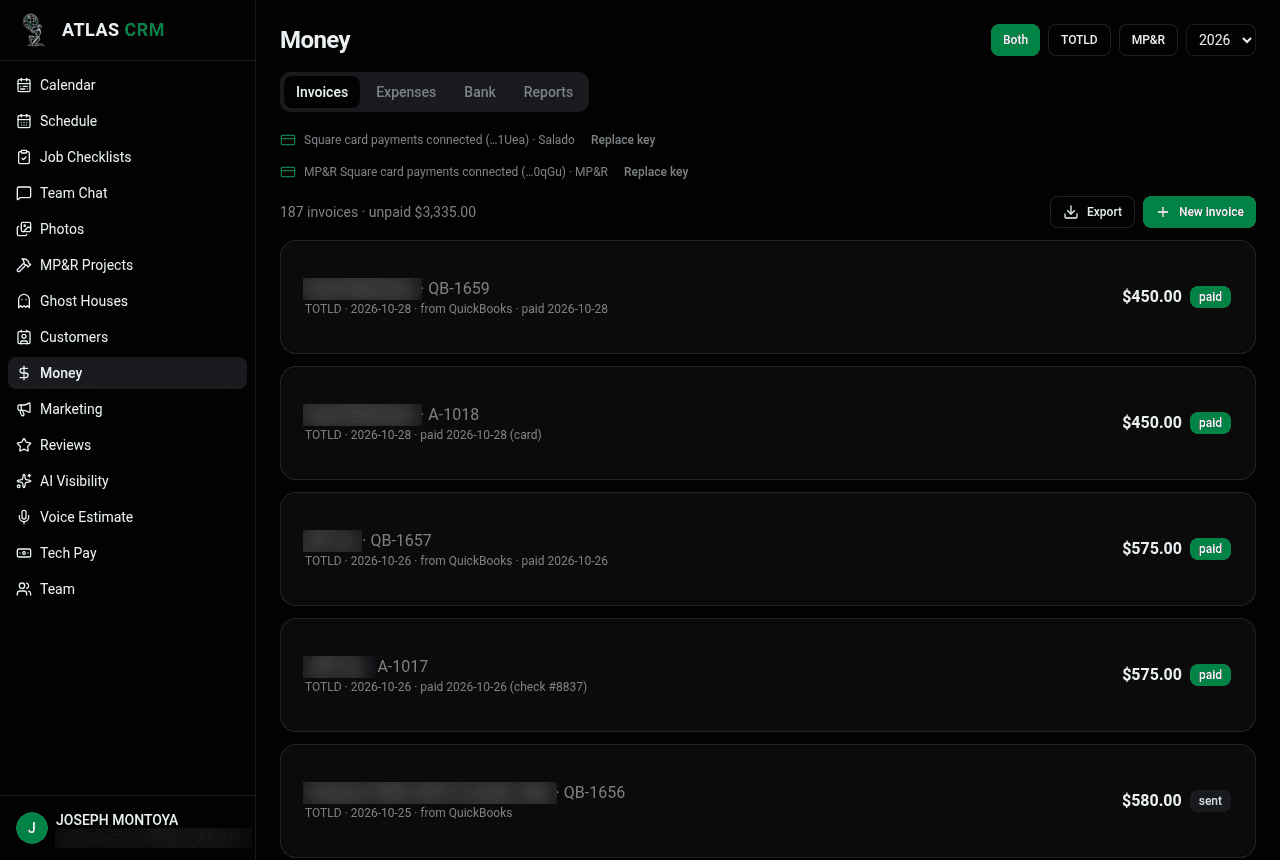
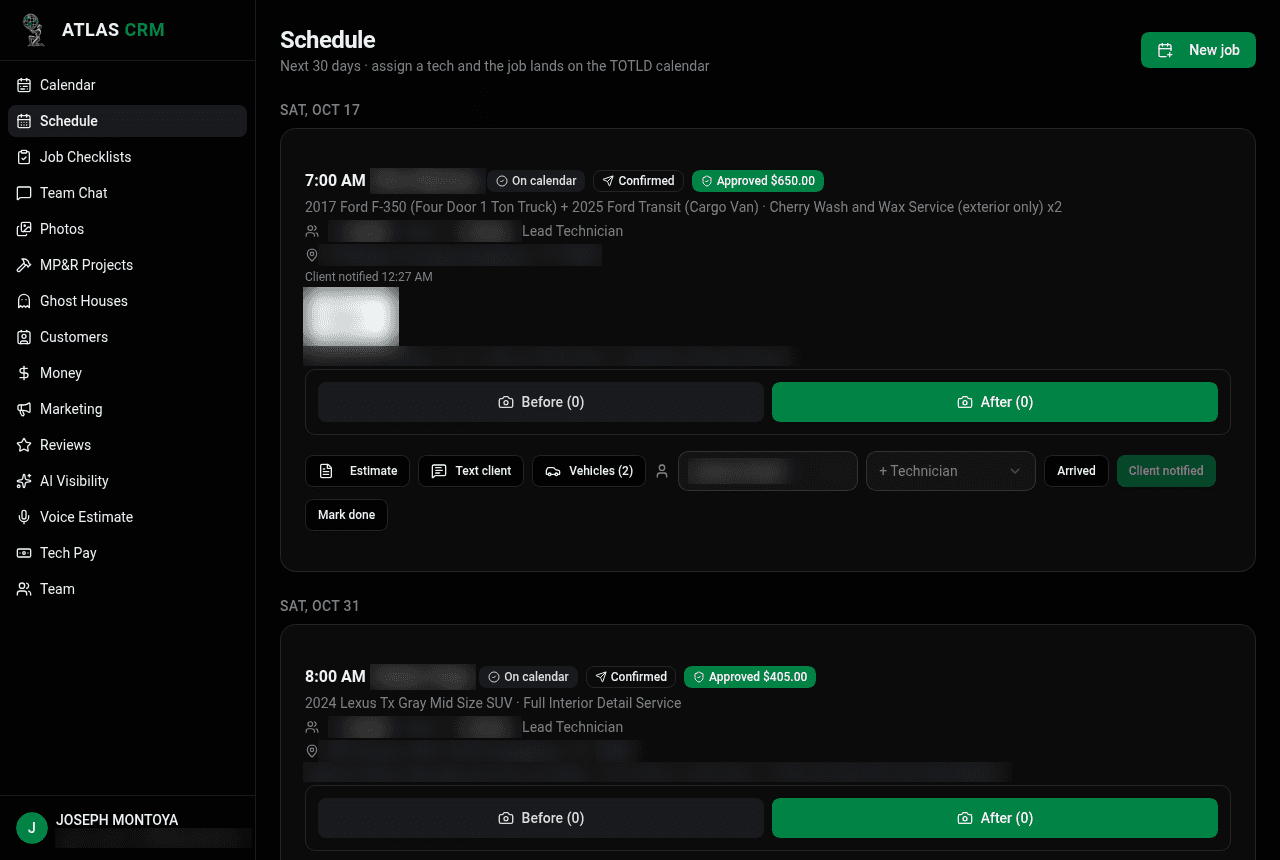
All counts are read from the CRM's live database on Oct 31, 2026: jobs table (status done), invoices table (source atlas, status paid, created on or after Oct 9), SMS log (outbound), pay sheets, social posts and review requests tables.
Staying in control
Joseph set a hard monthly credit cap, and no job gets scheduled until he approves the tech from the rotation. If a quote doesn't match the price list, Viktor stops and asks, and it messages the techs only when he asks it to. For about two weeks Joseph approved every reply to a lead before it went out, and then he let them send automatically. Viktor backs up the CRM to Google Drive every week.
What's next
On Jan 1, 2027, Joseph plans to move both companies' books off QuickBooks and into the CRM. After that he wants to grow the renovation company toward buying distressed homes to renovate.
“Viktor is worth every penny and will give you so much time back.”